How it works
SoundBud does two jobs. Decode turns a song into a chart you can play. Polish takes your own recording to studio sound. Video editors focus on the picture, SoundBud focuses on the sound.
Decode
Turn a song into a chart you can play.
Bring in the song.
Record it live, pick a file, or send it from any app with the iOS share sheet. Video works too: SoundBud reads the audio out of it.
Get the chart.
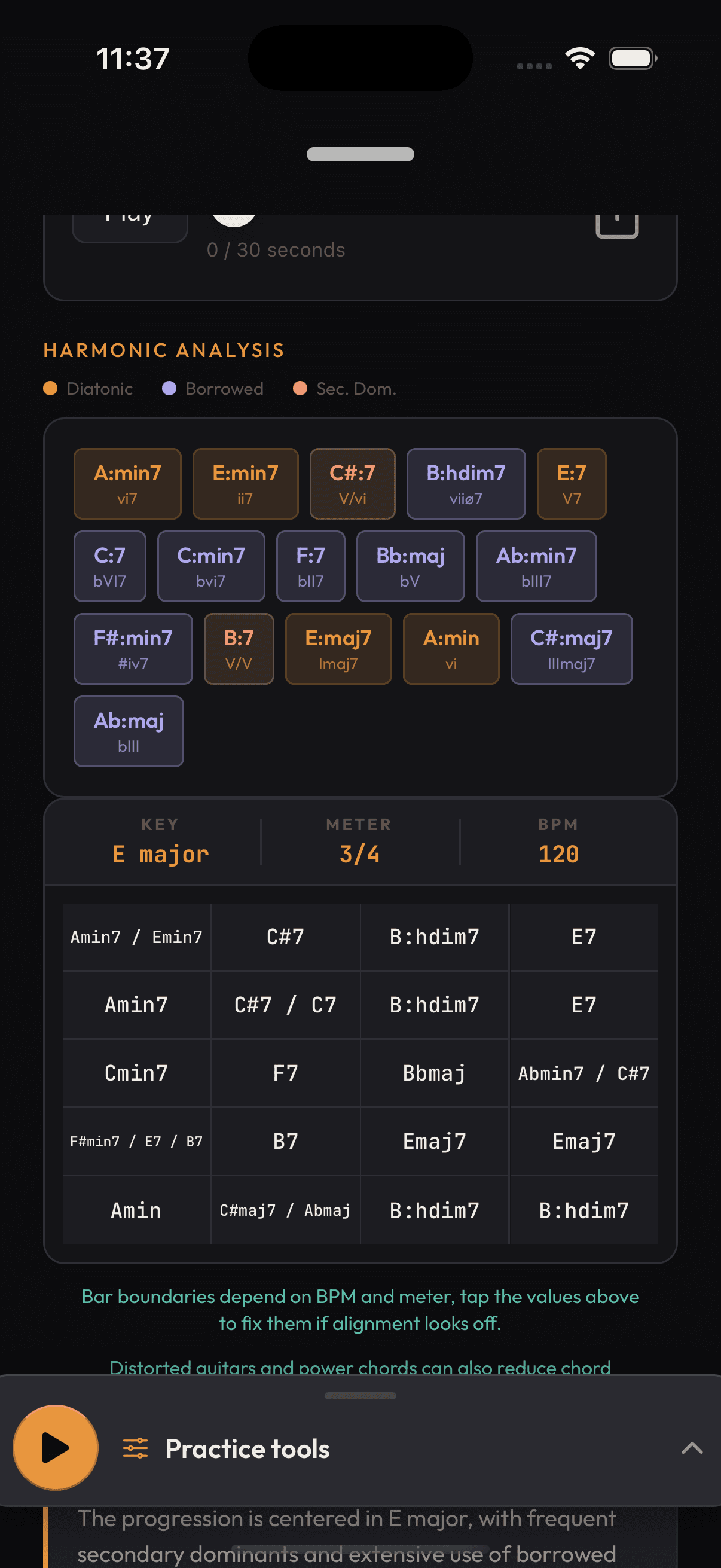
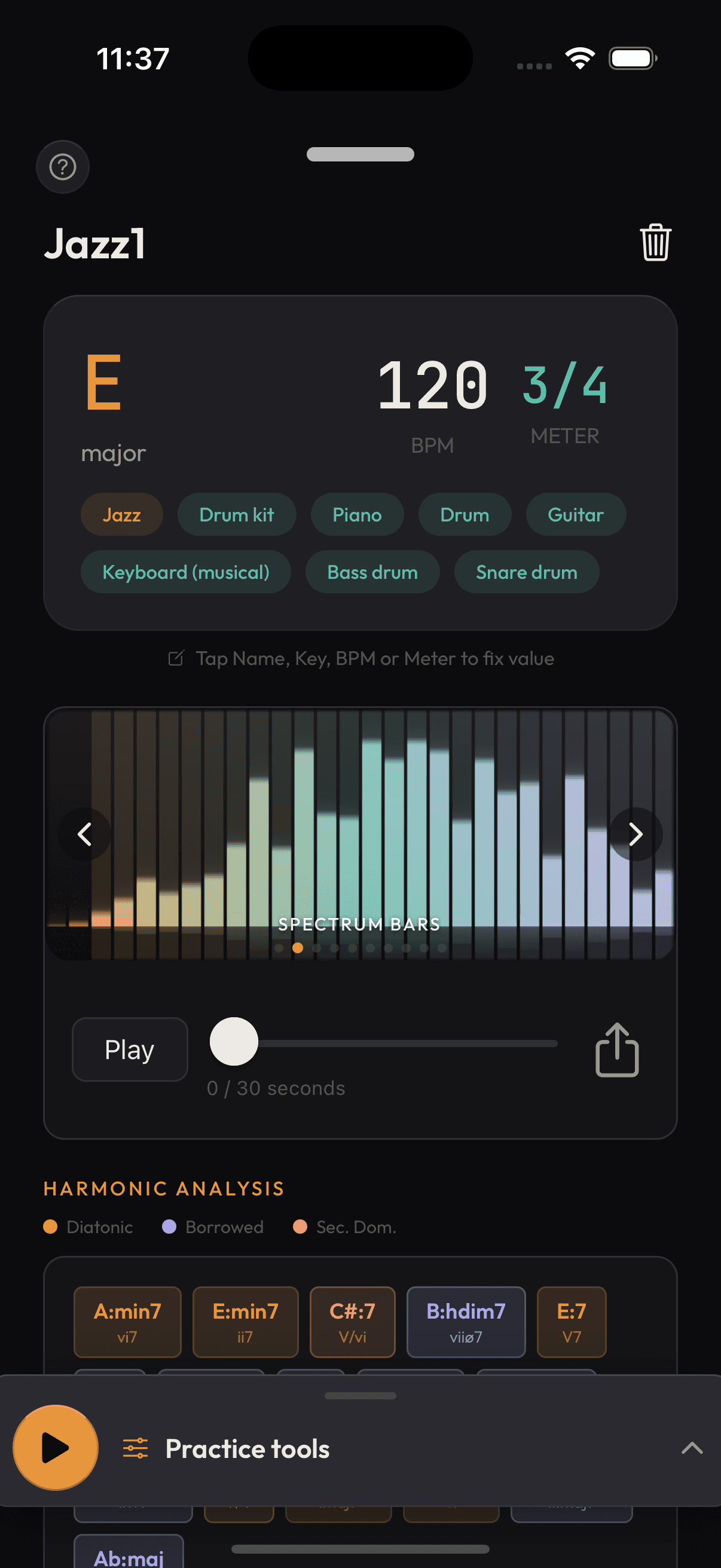
In seconds you get the key, BPM, time signature and time-stamped chords, laid out as bars like a lead sheet. Any value looks wrong? Tap it and fix it, the grid recalculates instantly.
Play it.
Slow it down, loop a section, transpose it, hear the chords on a synth, run the metronome. Then pick an AI mode: Theory, Solo Guide, Reharmonize or Explain Simply.
Polish
Take your own audio to studio sound.
Drop in your audio.
A recording, a podcast, a voice memo, or a whole video. Trim it losslessly first if you want.
Shape it.
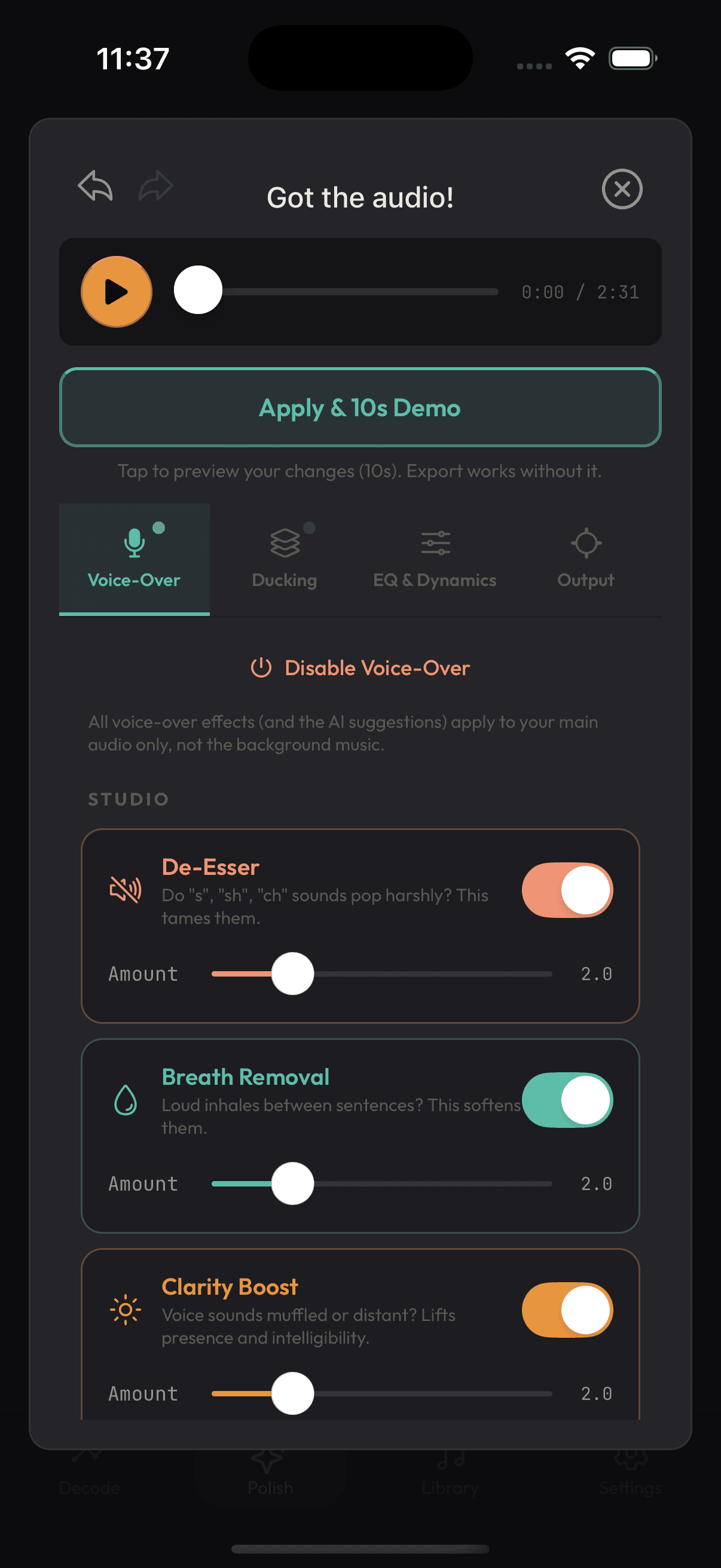
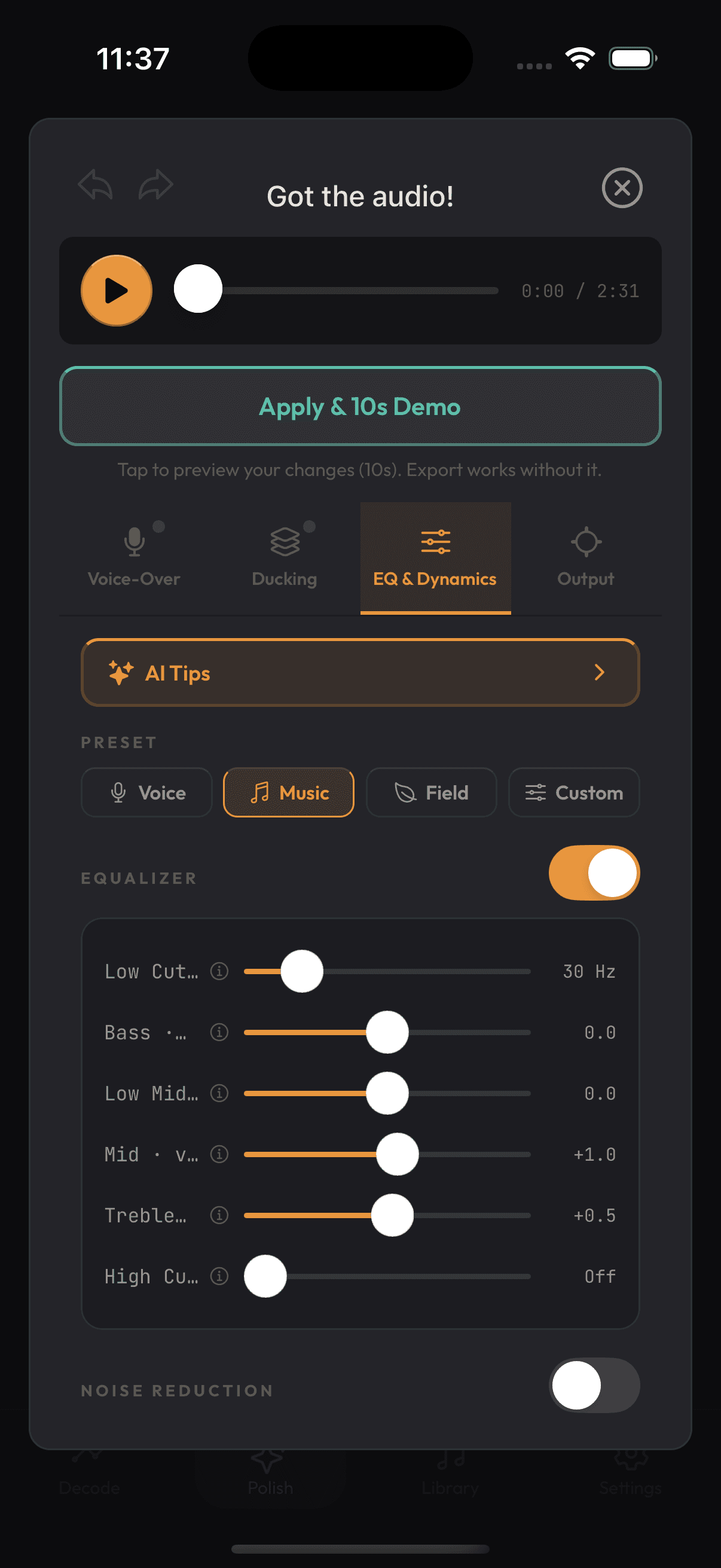
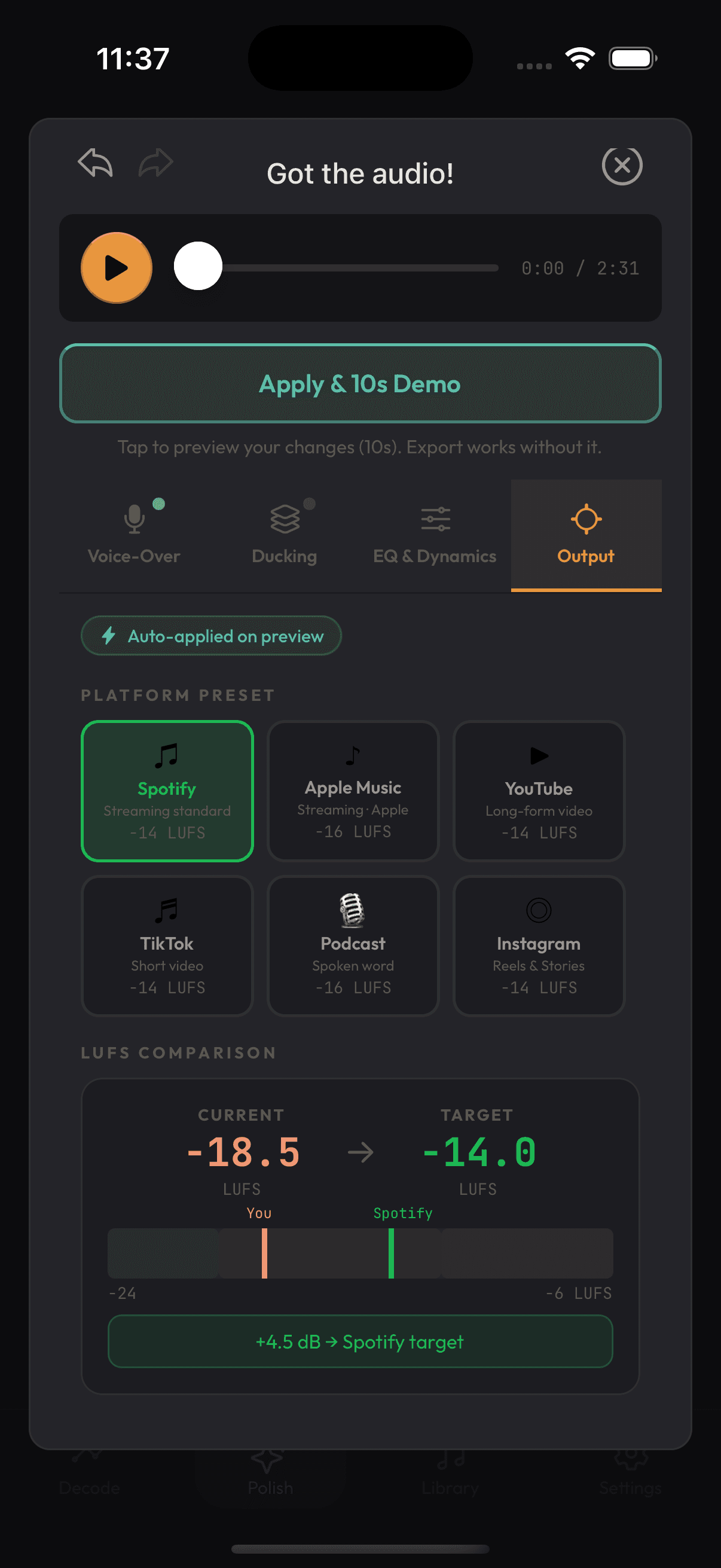
Four tabs: Voice-Over (de-esser, breath, clarity, room tone), Ducking (music under speech), EQ and Dynamics with AI tips that measure your actual audio, and Output.
Export it.
Pick your platform target (Spotify, YouTube, TikTok, Podcast) and SoundBud sets the right loudness. Export WAV or MP3, or get your video back with the same picture and better sound.
Under the hood
- Chords are detected by an ensemble of neural networks across 301 chord classes, covering a wide vocabulary well beyond simple triads: sevenths, ninths, sus and slash chords.
- Tempo and beat positions come from a separate rhythm model.
- Genre and instrument detection use a separate classification model.
- The key is not guessed by AI. It is derived from the detected chords on your device, using a classic music theory method (Krumhansl profile matching).
- Polish runs entirely on your device. No internet needed.
- MIDI export runs on your device.
- Song recognition uses the AudD music recognition service.